Cloud Computing for Beginners: The Ultimate Guide
“Cloud computing isn’t just for techies and the guys in Silicon Valley anymore — it’s for everyone.”
Back when I first heard about the cloud, I pictured something floating above my head that stored photos. Turns out, it’s a lot more powerful than that — and way more useful. Whether you’re trying to land your first job in tech, build something cool, or figure out what the heck “cloud” even means, you’re in the right place.
In this guide, we’ll break down cloud computing for beginners in plain English. No jargon. No fluff. Just the core concepts you need to understand how the cloud works — and why it matters.
By the end, you’ll know what cloud computing is, how it powers the apps and tools you already use, and how to start building real skills that can change your career.
Let’s get into it.
Want to go deeper? I put together a free resource called the Cloud Career Blueprint — it’s the same roadmap I wish I had when I started. It’ll help you pick your path, get hands-on fast, and skip the guesswork.
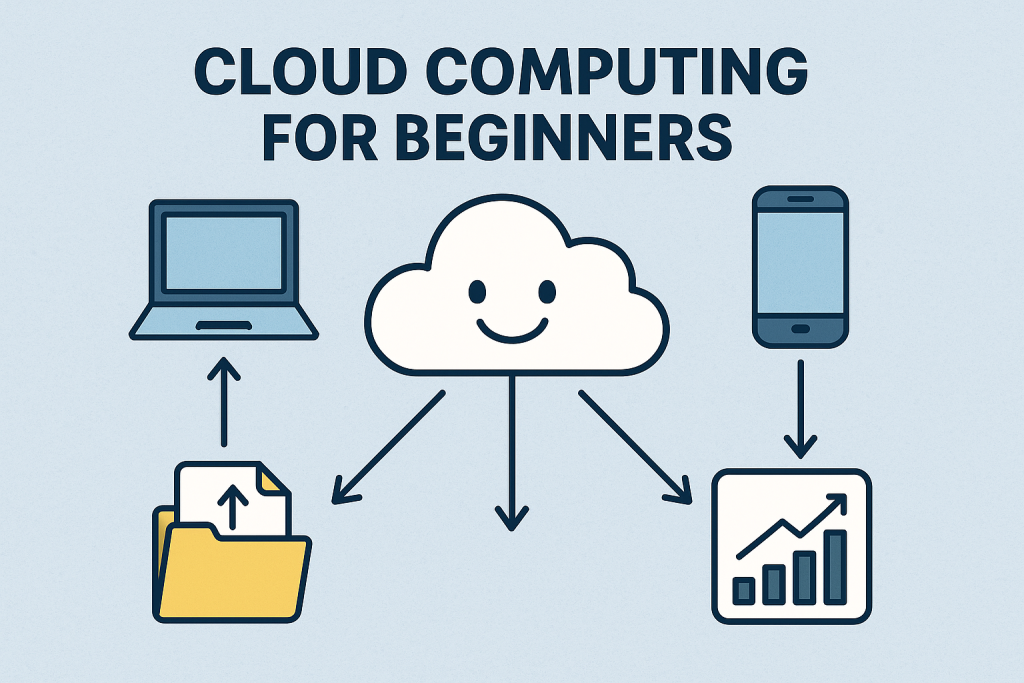
What Is Cloud Computing and Why Should Beginners Care?
When I first heard the phrase “cloud computing,” I honestly thought it had something to do with the weather. No joke.
I’d already been using Dropbox for school files and iCloud for my photos for years without giving it much thought. But it didn’t really click until one random afternoon, I was on my Xbox, saw this thing called “cloud gaming,” and decided to try it. I tapped a game — and it just started playing. No download, no wait time, nothing. That’s when it hit me: ohhh… this is the cloud.
If you want a course-first roadmap (instead of random videos), I mapped out the clean beginner path here:
➡️ Read: Best Cloud Course for Beginners
➡️ Then: Cloud Computing Fundamentals Course: What Beginners Should Look For
☁️ What Is Cloud Computing in Simple Terms?
Okay, think of cloud computing as renting a high-powered computer that lives somewhere else. Instead of buying your own servers or upgrading your hard drive every six months, you’re just using someone else’s — over the internet. Google Cloud, AWS, and Microsoft Azure? They’re like landlords of these massive digital skyscrapers filled with computing power and storage.
And the best part? You only pay for what you use. It’s kinda like streaming a movie instead of buying the DVD. You’re not stuck with the hardware or maintenance — you just hit play and go.
⚙️ How the Cloud Is Different From Traditional Computing
Let me give you an example that actually makes sense.
Has your personal computer ever slowed down so bad it made you want to throw it out the window? You dig into it and realize the hard drive’s almost full, you’ve got 20+ programs running, and the fan sounds like a jet engine. If you want better performance, you’d have to upgrade your RAM, swap out your hard drive, maybe even take it to a repair shop. It’s a whole thing.
Now compare that to cloud computing — where you can spin up a brand-new virtual machine in, like, two minutes. Need more processing power? A couple clicks. More storage? Boom — done. It’s the same concept, but without the physical mess or limitations.
Traditional computing ties you to your hardware. The cloud? It frees you up to scale, test, fail, pivot — whatever you need — without waiting on IT to find a screwdriver or approve a budget request.
📈 Why Cloud Computing Is So Important Today
Everything is in the cloud now. From TikTok videos to your online banking app — it’s all powered by cloud infrastructure. Even smart fridges and fitness watches pull from cloud data.
And here’s the kicker: the cloud isn’t just about storage. It’s about speed, flexibility, automation, AI, global access, and security. Whether you’re a solo entrepreneur or a massive corporation, cloud platforms let you move fast and adapt faster. In today’s world, that’s everything.
Look, I’m not saying you need to become a cloud architect overnight. But if you’re even thinking about getting into tech — or if you’re already in it and want to grow — learning cloud fundamentals will open doors.
When I started studying cloud, I realized how much of the job market touches it. Project managers, support engineers, analytics, app development, and even digital marketing. Cloud skills show up everywhere. And once you learn the basics — like virtual machines, storage buckets, IAM — you start seeing how all the digital stuff around you is stitched together.
Want to understand those basics step-by-step? Read my Cloud Fundamentals Guide — it’s made to simplify all those moving parts for real-world impact.
💼 Why Beginners Should Learn About the Cloud Now
Even better? Cloud certifications (like the Google Cloud Digital Leader or AWS Cloud Practitioner) are beginner-friendly and can seriously boost your resume — no degree needed.
How Cloud Computing Works (For Non-Techies)

I remember the first time I tried to understand how the cloud actually worked — I set aside some time to study late one night and ended up staring at diagrams full of boxes, arrows, and way too many acronyms. After about an hour, my brain was fried. I closed the tab and made a sandwich instead.
So if that’s you right now, don’t worry — I got you. Here’s how cloud computing works, explained like we’re sitting at Starbucks chatting over caramel Frappuccinos — not walking through a freezing cold data center for the first time, trying to find the one rogue cable that took down an entire enterprise network.
🧱 The Key Components of Cloud Computing
There are really just three things you need to understand to “get” the cloud: compute, storage, and networking.
- Compute is just rented computer power. You’ll often come across the term virtual machines (VMs), which are basically software-based computers that run your apps or websites remotely — no physical hardware needed on your end.
- Storage is where your files, videos, or data live — like Google Cloud Storage buckets or Amazon S3.
- Networking is how everything stays connected and secure, including the internet paths your data travels.
So when someone says they “deployed an app to the cloud,” they just mean they launched it on someone else’s powerful computer, stored the files somewhere remote, and made it accessible online. Simple as that.
🚀 What Does “On-Demand Access” Really Mean?
I’m pretty sure PPV on-demand is the only reason I understood this concept so quickly. Think Netflix or Hulu.
On-demand just means you can use cloud resources whenever you need them — and only pay for what you use. No up-front hardware costs. No long-term contracts. If you need to run a web server for 10 minutes, boom, you can. If it crashes, restart it. If traffic spikes, scale it up. It’s flexible like a rubber band.
I once spun up a virtual server just to follow along with a cloud tutorial at 11 PM on a Tuesday — it cost me 13 cents. Thirteen. Cents. That’s the power of on-demand.
🌍 What Are Regions, Zones, and Global Infrastructure?
Okay, this part sounds intimidating, but it’s actually pretty cool.
Cloud providers like Google Cloud, AWS, and Azure run data centers all over the world. These are grouped into:
- Regions: big geographic areas like “us-central1” or “europe-west1”
- Zones: smaller chunks inside a region — for redundancy and failover
Let me break those two down real quick:
- Redundancy means saving your data in multiple places, just in case something fails
- Failover means that if one system goes down, another is already set up to take over automatically — no downtime, no drama
So if one zone goes down — maybe from a power outage or even a natural disaster — your app or website keeps running in another zone. That’s one of the biggest reasons cloud computing is so dang reliable. Your data’s not just sitting in one place. It’s spread out and backed up across the globe — like a digital safety net.
When I first learned this, it honestly blew my mind. My files, apps, or code could be living in Iowa, Tokyo, and Frankfurt at the same time — and I didn’t have to do a thing to make that happen.
🛠️ How Cloud Providers Manage All This (So You Don’t Have To)
Behind the scenes, cloud providers use automation to manage thousands — even millions — of servers. They handle software updates, hardware failures, load balancing, and backups. It’s like having a 24/7 IT army you never see.
When I worked on a project that moved the services we hosted on-premise to the cloud, the final phase was to retire the old server. That’s when it hit me:
I used to need a special admin account and be on-call in case the server went down at 2AM. I’ve had midnight meetings just to make sure patches were applied without breaking everything.
Now? The cloud handles that automatically. No emergency logins. No sleep-deprived patch nights. That shift alone saved us time, money — and honestly, my sleep schedule. Sheesh.
TL;DR: Cloud computing for beginners starts with understanding this: the cloud gives you access to powerful computer resources — compute, storage, and networking — through a global infrastructure that’s fast, scalable, and ridiculously convenient. And if you’re not technical? No worries. It’s all handled for you behind the scenes, so you can focus on building, learning, or just getting stuff done.
💡 Want to Turn This Into a Career?
Don’t just read about cloud computing — start building your future with it.
📥 Download my free Cloud Career Blueprint — a simple, beginner-friendly roadmap to help you:
- Choose the right cloud role (even with no coding background)
- Pick the best certifications (without wasting time)
- Get hands-on in under an hour — no tech degree needed
👉 Grab your copy here: [Download the Cloud Career Blueprint]
The 3 Cloud Service Models Explained (IaaS, PaaS, SaaS)

I’ll never forget the first time someone mentioned IaaS and PaaS in a meeting at work. Thankfully, I was working remotely. I just nodded, kept my eyes locked on the camera, and quietly opened a new browser window to Google it — trying not to look too obvious.
If you’re confused by these terms too — welcome to the club. Let’s break them down like normal humans.
🏗️ What Is IaaS and When Would You Use It?
IaaS stands for Infrastructure as a Service. It’s the most flexible cloud model — you’re basically renting raw computing power: virtual machines, storage, and networking.
IaaS gives you full control over the machines — like what operating system to run, when to patch, how to configure security, and what tools to install. It’s perfect if you’re building something complex or working with a dev team that wants total flexibility.
🛠️ Use IaaS when:
- You want to manage your own software stack
- You need flexible infrastructure for custom workloads
- You’re running legacy apps that don’t fit neatly into newer platforms
Examples: Google Compute Engine, AWS EC2, Microsoft Azure Virtual Machines
But heads up — with great power comes great responsibility. You’re in charge of setup, patching, scaling, backups, and monitoring. It’s powerful, but not plug-and-play. Unless you automate it, you’re the one behind the wheel.
🔧 What Is PaaS and Why Do Developers Love It?
PaaS means Platform as a Service. Think of it as IaaS — but with less stress. You don’t manage the servers, operating systems, or scaling. You just deploy your code (or in some cases, your logic), and the platform handles the rest.
I worked on a project where I built a system that would automatically pause and resume screen recordings anytime employees visited PII-sensitive websites — like payment portals or identity forms that showed customer credit card numbers or SSN data. I didn’t write a single line of code. I simply used a cloud platform to define the logic and deploy it across the organization. This solution affected over 9,000 agents and helped protect millions of recorded calls every month — roughly 10 million calls last time I checked. The platform handled the infrastructure and scale automatically. All I had to do was focus on the logic.
That’s the power of PaaS: you can create real-world impact — at massive scale — without touching servers or writing custom backend code.
People love PaaS because it saves time and lets you focus on solving problems — not babysitting hardware or worrying about what’s under the hood.
Use PaaS when:
- You want to build and deploy apps quickly
- Your team doesn’t want to manage infrastructure
- You’re creating web apps, APIs, or microservices
Examples: Google App Engine, Heroku, AWS Elastic Beanstalk — or any platform that lets you build and launch without managing the backend
Downside? Less control. You can’t tweak everything under the hood. But honestly, most people don’t need to — the speed and scale make up for it.
💻 What Is SaaS and Why You’re Probably Using It Already
SaaS stands for Software as a Service. This one’s everywhere — and you’re probably already using it without realizing.
If you’ve ever opened Google Docs, checked your inbox on Gmail, or joined a Zoom meeting — that’s SaaS. It’s software delivered over the internet. No installs, no updates — it just works in your browser or as an app.
Use SaaS when:
- You need a tool, not a tech project
- You don’t want to worry about maintenance or updates
- You want fast access from any device
Examples: Google Workspace, Dropbox, Salesforce, Zoom, Slack, Netflix
SaaS is super beginner-friendly — perfect for businesses or individuals who just want to use tech, not build it.
⚖️ Pros and Cons of Each Cloud Model
| Model | Pros | Cons |
| IaaS | Total control, scalable | Requires lots of setup and maintenance |
| PaaS | Easy deployment, less management | Less backend control |
| SaaS | Easiest to use, no setup | Limited customization, subscription costs |
TL;DR:
- IaaS = total control of the tech (but more work)
- PaaS = just bring your code and go
- SaaS = ready-to-use tools you access online
Knowing the difference helps you choose the right tool for your project — and might just save you a ton of time, money, and headaches.
Still wondering how all of this connects? Read my full Cloud Computing Fundamentals guide — it’s the big-picture walkthrough that brings it all together.
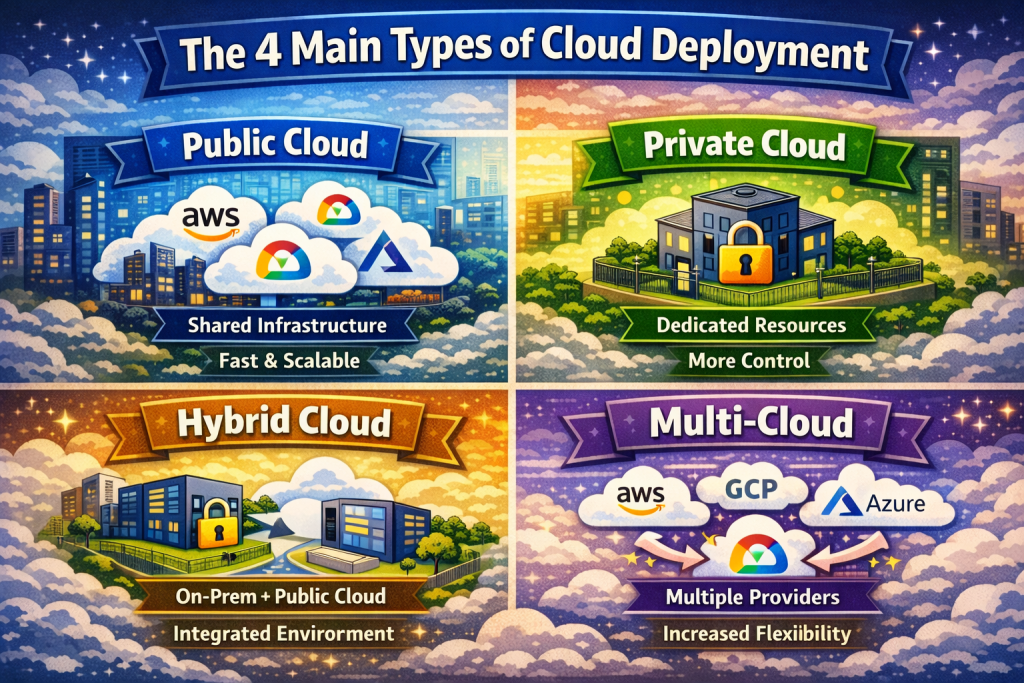
The 4 Main Types of Cloud Deployment (Public, Private, Hybrid, Multi)
Back when I first got curious about cloud computing, I thought the cloud was just… the cloud. One big invisible thing floating around the internet. I didn’t know there were different types of cloud deployments — and that those differences actually matter a ton depending on what you’re building or who you’re building it for.
Let me walk you through what I wish I understood sooner.
🌐 Public vs. Private Cloud (In Plain English)
Public cloud is like renting an apartment in a big complex. You get your own space, but the infrastructure is shared — with security, maintenance, and updates handled by the provider. Think Google Cloud, AWS, or Azure.
It’s affordable, scalable, and great for startups, solo builders, or anyone who just wants to get up and running fast. I used Google Cloud’s public platform to launch a static site, and it cost me less than my monthly Netflix subscription.
Private cloud, on the other hand, is more like owning your own house. It’s built just for your company. It might be hosted on your own servers or by a third-party provider — but it’s dedicated. No sharing.
Private clouds make more sense for companies with strict security or compliance needs — like banks, hospitals, or government agencies.
🔄 Why Hybrid and Multi-Cloud Strategies Exist
Some companies want the best of both worlds. That’s where hybrid cloud comes in — a mix of public and private. For example, a company might store sensitive customer data in a private cloud for security, but run its mobile app on a public cloud for speed and scalability. Boom — hybrid setup.
Then there’s multi-cloud, where a company uses more than one public cloud provider at the same time. Why? To avoid being locked into one vendor, reduce downtime risk, or use the best tools from each platform.
I saw this firsthand:
At one company I worked for, we used:
- AWS for our call recording platform
- Google BigQuery for analytics
- Azure Active Directory for employee identity and access
Totally different cloud providers, all doing what they do best — and it worked. That’s the power of cloud flexibility.
🔐 How Deployment Types Affect Security and Performance
This part matters, especially if you’re thinking about a career in cloud.
- Public clouds are super secure (they hire top security teams), but you’re trusting a shared environment.
- Private clouds offer more control but also more responsibility — you manage updates, patches, and access.
- Hybrid clouds give flexibility, but integration can be tricky.
- Multi-cloud setups reduce dependency but require solid planning and skill to manage multiple platforms.
From experience: security and performance depend less on the model itself and more on how well it’s configured. I’ve seen poorly locked-down private clouds and airtight public ones — it all comes down to implementation.
TL;DR:
- Public cloud = fast, cheap, shared
- Private cloud = secure, custom, expensive
- Hybrid cloud = mix of both for flexibility
- Multi-cloud = using multiple cloud providers to reduce risk or improve performance
If you’re just getting started, understanding these models helps you speak the language — and make better decisions, whether you’re launching your own app or supporting a team.
Real-Life Examples of Cloud Computing You Use Every Day
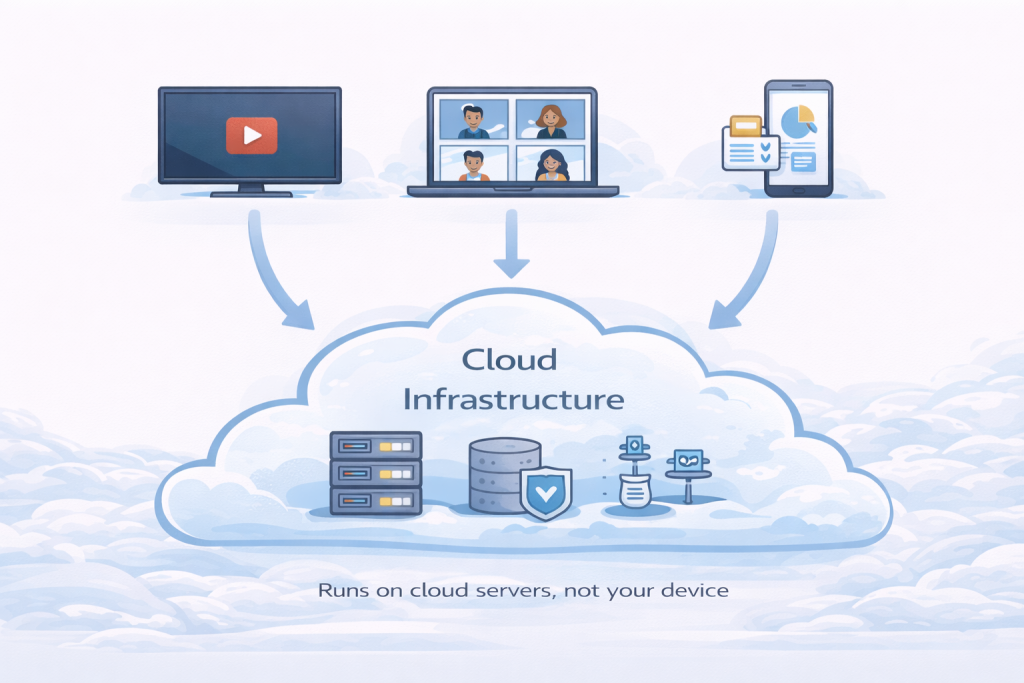
The funniest part about learning cloud computing? Realizing I’d been using it for years without knowing it. Seriously — once you spot it, you can’t unsee it. The cloud is behind almost everything we do online, from binge-watching shows to backing up baby photos.
Let me show you how.
🍿 How Netflix Uses the Cloud to Stream Video
Netflix isn’t just a streaming service — it’s a cloud powerhouse. Every time you hit play on your favorite series, the content is being delivered to you through cloud servers — usually from Amazon Web Services (AWS).
But here’s what blew my mind: Netflix doesn’t stream your show from one central location. Instead, it uses a global network of servers called content delivery networks (CDNs) to find the one closest to your device. That’s how your episode loads instantly with barely any buffering — even on your kid’s old, slightly cracked, hand-me-down iPad.
And during peak hours — like 8PM on a Friday, prime Netflix n’ Chill time — the cloud lets Netflix scale automatically to handle the traffic spike. No melted servers. No buffering. No angry customers rage-quitting mid-episode (if they’re still watching it… 😏).
☁️ What Happens When You Upload to Google Drive or Dropbox?
For years, I had this habit of emailing important files to myself — just in case I ever needed them. Stuff like my resume, notes, even scanned documents. One time, I got carded at a convenience store and realized I’d left my wallet at home. In a moment of pure genius (or desperation), I pulled up my email and found an old message where I’d sent my ID to someone for a job. And it worked.
What I didn’t realize back then? Even though I didn’t understand it, all those files were safe in — yep, you guessed it — the cloud.
When you upload something to Google Drive or Dropbox, your file gets encrypted, then stored across redundant cloud storage systems. If one server fails? Your data’s still safe. It’s like having multiple invisible safes around the world, and all you need is your login.
Bonus tip: This is called object storage (more on that in a later post). For today, just know it’s one of the core cloud services businesses use to store massive datasets, images, logs, and more. You’re basically using enterprise-grade tools without even realizing it.
🎥 How Zoom Handles Millions of Users (Without Crashing)
Remember when the world went remote overnight, you had to wear masks everywhere, and you were dodging people like it was an obstacle course just to stay six feet apart? Zoom went from a niche video tool to a household name in like a week. And guess what made that explosion possible?
Cloud infrastructure.
Zoom runs on a combination of cloud services — including Oracle Cloud and AWS — that allow it to dynamically allocate computing resources. When 10 million people log on at once for meetings, classes, or awkward family reunions, Zoom spins up more servers in the background to keep things running smooth.
Try doing that with on-prem servers… yeah, no thanks.
It’s not just tech giants — regular businesses are all in on cloud now.
🏢 How Businesses Use the Cloud Behind the Scenes
Retailers use cloud platforms to run e-commerce sites. Hospitals use it to securely store medical records and enable telehealth. Restaurants use cloud-based POS systems. Even my wife’s gym uses cloud-based scheduling software so she can book a spin class while she’s still in bed.
TL;DR:
- Netflix uses cloud and CDNs to stream shows instantly — scaling automatically during peak hours.
- Google Drive / Dropbox use cloud storage (aka object storage) to safely store and back up your files around the world.
- Zoom runs on cloud infrastructure to handle millions of users without crashing — even during a pandemic surge.
- Everyday businesses rely on cloud for websites, records, POS systems, and apps — from gyms to hospitals to restaurants.
- You’ve probably been using cloud for years — you just didn’t know it.
If you’re using the internet, you’re already using the cloud. Now imagine what happens when you learn to build in it.
Beginner Tools to Get Hands-On with the Cloud
Reading about cloud computing is cool and all… but the first time you do something in the cloud? That’s when it really clicks.
I’ll never forget spinning up my first virtual machine on Google Cloud. It took just a couple of clicks, and within seconds, I had access to something that used to take entire IT teams weeks to set up. That was the moment I realized — this isn’t just tech talk… this is game-changing power at your fingertips.
And the best part? You don’t need to be a coder. Or rich. Or even that techy. You just need the right tools — and the cloud providers have made it easier than ever to get started for free.
Want a checklist of tools, certs, and free labs to get started? Download the Cloud Career Blueprint — your step-by-step roadmap is waiting.
🚀 How to Get Started with Google Cloud Free Tier
Google Cloud’s Free Tier is hands-down one of the best places for beginners to dip their toes in. You get:
- $300 in free credits to use over 90 days
- Always-free products like a f1-micro VM, Cloud Functions, Firebase, and more
- Access to tools like BigQuery, Cloud Run, and Cloud Storage — without breaking the bank
When I first signed up, I used the free tier to test different services like spinning up a basic VM, deploying basic statis websites, and uploading files to Cloud Storage buckets. No pressure. No surprise charges. Just sandboxing and experimenting.
Cloud Computing for Beginners Pro Tip: Set billing alerts and stay inside the always-free limits while you’re learning. You won’t get charged unless you go way outside the box.
🧪 What Is Qwiklabs and Why Beginners Love It
If you’ve never heard of Qwiklabs (now part of Google Cloud Skills Boost), let me introduce your new best friend.
Qwiklabs gives you temporary access to real Google Cloud environments so you can complete guided labs — no credit card, no setup. You can use it to walk through things like:
- Creating a virtual private cloud
- Deploying an app with App Engine
- Setting up identity and access management (IAM) roles
Every lab gives you step-by-step instructions and lets you mess up safely. I once accidentally shut down a virtual machine during a lab — and it didn’t matter. It was all in a sandbox.
It’s like cloud training wheels, but you actually learn by doing.
🛠️ Which Free Tools Let You Experiment with Cloud?
Besides Qwiklabs, here are a few beginner-friendly platforms that let you tinker without coding or risk:
- Google Cloud Console – clean UI, lots of tutorials built-in
- Cloud Shell – free terminal in your browser to run commands
- Firebase – great for deploying basic apps or databases (no backend knowledge needed)
- AWS Free Tier and Azure Free Account – if you want to compare providers
Start simple: upload files to storage, launch a basic web app, explore IAM roles. Every little click helps you understand what cloud infrastructure really means.
Pro Tip: Find a course on Udemy or YouTube that walks you through small cloud projects. The insights you’ll get from actually doing the work are priceless — way more than just watching or reading. It’s a cheat code for turning concepts into real experience you can speak to confidently in job interviews.
Thank me later. 😎
🌱 How to Start Building Projects (Even Without Code)
You don’t need to be a developer — or even “tech-savvy” — to start building in the cloud. One of the easiest beginner projects I ever did was setting up a simple website using Google Cloud Storage. No coding, no servers, no complicated setup. I just uploaded a basic HTML file into a cloud folder (called a “bucket”), made it public, and boom — my website was live.
Try these starter projects:
- Try these super simple cloud starter projects:
- Host a basic resume or portfolio site using Google Cloud Storage
- Send yourself an email using a pre-built cloud function (with a guided tutorial — no guesswork)
The goal isn’t to be perfect — it’s to get familiar with the dashboard, click a few buttons, and realize you can do this. Once you’ve done it once, the fear goes away.
TL;DR:
- Google Cloud Free Tier gives you $300 in credits and always-free tools — perfect for testing real services like VMs, storage, and websites.
- No coding needed — projects like hosting a resume site or sending an email with a cloud function are easy wins.
- Pro Tip: Follow a hands-on course on YouTube or Udemy. You’ll learn faster — and build experience you can talk about in interviews.
What Career Paths Start with Learning Cloud Computing?

When I first started learning about the cloud, I thought the only people working in it were hardcore programmers with computer science degrees. But nope — turns out cloud computing is like a giant buffet of opportunity. You can pick your lane based on your interests, background, and even your comfort with tech.
💼 5 Beginner-Friendly Cloud Roles I’ve Seen Firsthand (No Coding Needed)
Here are a few roles I’ve seen up close — ones that don’t require you to be a software engineer, but still offer serious career potential:
✅ Learning & Development (L&D) Specialist
Delivers or designs training programs that help internal teams adopt new cloud tools.
🔎 I worked directly with senior L&D leaders during a major cloud rollout at our company. Since I led the migration and onboarding, I became their go-to for translating technical features into clear, useful training content. They had zero experience with the platform — I helped them understand it well enough to teach entire teams.
✅ Project Coordinator (Entry-Level PM Role)
Keeps cloud projects on track by managing schedules, team updates, and go-lives — no coding needed.
🔎 I worked side-by-side with senior program managers leading enterprise-level cloud deployments. My job? Keeping our tech teams aligned and hitting milestones — and when they didn’t, I broke down the “why” in plain English so execs could make fast decisions.
✅ Customer Success Associate (Entry-Level TAM)
Helps customers get started with cloud tools, answers common questions, and escalates issues when needed.
🔎 I’ve worked closely with senior Technical Account Managers (TAMs) on a near-daily basis for support issues. They’re the bridge between customers and cloud vendors — and this is where many of them start.
✅ Sales Development Representative (Entry-Level SAM)
Supports the sales cycle by helping customers understand which cloud solutions fit their needs.
🔎 I partnered with vendor-side Sales Account Managers (SAMs) on dozens of calls — sharing our business requirements, reviewing their technical proposals, and translating all of it back to our internal teams. It’s a business-savvy role, not a technical one — and it’s critical to every deal.
✅ Recruiting Coordinator (Entry-Level Technical Recruiter)
Supports the hiring process for cloud jobs — no coding required, just people skills and role knowledge.
🔎 These are usually the first people you’ll talk to in the hiring process. I’ve worked with many recruiters behind the scenes. The best ones learn just enough cloud to spot strong candidates — and if you’re sharp, they’ll help you stand out too.
👉 Pro Tip:
Start with these beginner versions — most of the people I worked with started here too. Some now lead teams or drive product strategy for global cloud platforms.
👩💻 Do You Need to Code to Work in Cloud Computing?
Short answer: nope.
Yes, some roles require scripting (Python, Bash, etc.), but there are many cloud careers where understanding how things work is more important than building them from scratch.
If you’re non-technical, start with learning cloud basics like:
- What are the basics of networking?
- What is compute vs. storage?
- How does identity and access work?
- What’s the difference between IaaS and SaaS?
From there, you can decide if you want to add a little code to your toolkit — but it’s not a dealbreaker.
⏳ How Long Does It Take to Get Cloud-Certified?
It depends on your schedule, but most beginners can pass a foundational cert like Google Cloud Digital Leader in 2–6 weeks.
If you’ve got a full-time job, a family, or both — just know it might take you a little longer to break into cloud. That’s okay. Personally, it took me about three months. I was juggling a full-time job, a toddler, and married life… so yeah, my days were packed.
My study time? 9PM to 10PM every night — after dinner, dishes, and bedtime routines. I didn’t do fancy labs or hardcore technical deep dives. I focused on concepts and strategy: cloud deployment models, core services, and real-world use cases in AWS and Google Cloud.
It’s different for everyone, but here’s the truth: how bad do you want this? That one hour a night added up — and it changed my entire career direction.
If you want to go deeper, Google Associate Cloud Engineer or AWS Certified Cloud Practitioner are next-level beginner options. They do take a bit more time and hands-on work, but still totally doable.
🏅 Which Beginner Certifications Are Worth It?
Here are the best cloud certifications for beginners:
- Google Cloud Digital Leader – best for total beginners, no tech background needed
- AWS Certified Cloud Practitioner – great intro to the Amazon ecosystem
- Microsoft Azure Fundamentals (AZ-900) – same idea, but for Azure fans
- CompTIA Cloud Essentials+ – vendor-neutral, covers general cloud knowledge
Certs don’t guarantee you a job, but they show initiative — and they help you speak the language of tech teams, which is huge.
TL;DR:
- You don’t need to code to work in cloud — roles like Project Coordinator, L&D Specialist, and Customer Success are in high demand.
- Foundational certs like Google Cloud Digital Leader or AWS Cloud Practitioner can be earned in 2–6 weeks (or 2–3 months if you’re busy like I was).
Start where you are. Learn the lingo, pick a cert, explore a role — and grow from there.
Conclusion: You Don’t Need to Be a Genius to Learn the Cloud
Cloud computing for beginners can feel big and intimidating at first — but once you break it down, it’s honestly just someone else’s computer doing the heavy lifting for you. If you stick with it, explore a few hands-on labs, and keep learning at your own pace, you’ll be amazed how quickly things start to click.
Frequently Asked Questions: Cloud Computing for Beginners
General Cloud Computing for Beginners Questions
Q: What is cloud computing for beginners to understand first?
A: Cloud computing for beginners starts with one simple concept: instead of storing files and running programs on your personal computer, you’re using powerful computers owned by companies like Google, Amazon, or Microsoft — accessed over the internet. Cloud computing for beginners is really about understanding that you’re renting computing power instead of buying and maintaining your own hardware.
Q: Is cloud computing for beginners hard to learn?
A: Not at all. Cloud computing for beginners is actually more approachable than most people think. You don’t need a computer science degree or coding experience to get started. Cloud computing for beginners focuses on understanding core concepts like storage, compute power, and networking — all of which you already use in everyday apps like Netflix, Gmail, and Zoom.
Q: How long does it take to learn cloud computing for beginners?
A: Most people learning cloud computing for beginners can grasp the fundamentals in 2–6 weeks with consistent study. Cloud computing for beginners certification courses, like the Google Cloud Digital Leader or AWS Cloud Practitioner, typically take about 20–40 hours of study time total. If you’re balancing work or family, cloud computing for beginners might take 2–3 months — and that’s completely normal.
Q: Can I learn cloud computing for beginners without a technical background?
A: Absolutely. Cloud computing for beginners is designed to be accessible to non-technical people. Many cloud computing for beginners resources explain concepts in plain English without jargon. You’ll learn cloud computing for beginners through real-world examples — like how Netflix streams shows or how Google Drive stores your files — making it relatable and easy to understand.
Getting Started with Cloud Computing for Beginners
Q: What’s the best way to start learning cloud computing for beginners?
A: The best way to start cloud computing for beginners is to combine learning with hands-on practice. Sign up for Google Cloud’s Free Tier or AWS Free Tier, watch a cloud computing for beginners tutorial on YouTube, and follow along by actually clicking buttons and building something simple. Cloud computing for beginners becomes real when you do it yourself — not just read about it.
Q: Do I need to pay to learn cloud computing for beginners?
A: No. Cloud computing for beginners can be learned completely free. Google Cloud, AWS, and Microsoft Azure all offer free tiers that give you access to cloud computing for beginners tools and services. Platforms like Qwiklabs (Google Cloud Skills Boost) provide free guided labs where you can practice cloud computing for beginners skills in real environments.
Q: What are the best free resources for cloud computing for beginners?
A: The best free cloud computing for beginners resources include Google Cloud Free Tier ($300 in credits), Qwiklabs for hands-on practice, YouTube tutorials, and free cloud computing for beginners courses on platforms like Coursera and Udemy. These cloud computing for beginners resources let you explore without spending money while building real skills.
Q: Should I learn cloud computing for beginners on Google Cloud, AWS, or Azure?
A: For cloud computing for beginners, start with whichever platform interests you most. Google Cloud is beginner-friendly with a clean interface. AWS has the most job opportunities. Azure integrates well with Microsoft products. The core concepts of cloud computing for beginners are the same across all three — so pick one, learn it well, and you’ll be able to transfer that cloud computing for beginners knowledge to other platforms easily.
Cloud Computing for Beginners: Careers and Certifications
Q: What jobs can I get after learning cloud computing for beginners?
A: After mastering cloud computing for beginners, you can pursue roles like Cloud Support Associate, Customer Success Specialist, Project Coordinator, Learning & Development Specialist, or Sales Development Representative. Cloud computing for beginners opens doors to tech careers that don’t require coding — just understanding how cloud systems work and how to help others use them.
Q: Which certification is best for cloud computing for beginners?
A: The best cloud computing for beginners certifications are Google Cloud Digital Leader, AWS Certified Cloud Practitioner, and Microsoft Azure Fundamentals (AZ-900). These cloud computing for beginners certifications require no technical prerequisites and prove you understand core cloud concepts — making them perfect for career changers or anyone new to tech.
Q: Do I need to code to work in cloud computing for beginners roles?
A: No. Many cloud computing for beginners career paths don’t require coding at all. Roles like Technical Account Manager, Project Coordinator, and Customer Success focus on understanding cloud computing for beginners concepts and helping others — not writing code. However, learning basic scripting can boost your cloud computing for beginners career potential down the road.
Q: How much can I earn after completing cloud computing for beginners training?
A: Entry-level cloud computing for beginners roles typically pay $50,000–$75,000 per year, depending on location and company. As you grow beyond cloud computing for beginners and gain certifications or specialize in areas like cloud architecture or security, salaries can exceed $100,000–$150,000. Cloud computing for beginners is the foundation for a high-earning tech career.
Practical Cloud Computing for Beginners Questions
Q: What’s the difference between cloud computing for beginners and traditional computing?
A: Traditional computing means you own and maintain physical hardware — like servers in an office. Cloud computing for beginners teaches you to use rented computing power accessed over the internet. With cloud computing for beginners, you don’t worry about buying equipment, dealing with hardware failures, or upgrading storage — the cloud provider handles all of that for you.
Q: What are examples of cloud computing for beginners can relate to?
A: Cloud computing for beginners is everywhere in daily life. Netflix uses cloud computing for beginners infrastructure to stream shows. Google Drive stores your files using cloud computing for beginners storage systems. Zoom handles millions of video calls through cloud computing for beginners scalability. Even your iPhone’s iCloud backup relies on cloud computing for beginners technology.
Q: Is cloud computing for beginners secure?
A: Yes. Cloud computing for beginners platforms like Google Cloud, AWS, and Azure invest billions in security — often providing better protection than most companies could build themselves. Cloud computing for beginners includes built-in security features like encryption, identity management, and automated backups. Learning cloud computing for beginners also means learning how to configure security properly.
Q: What’s the most important concept in cloud computing for beginners?
A: The most important cloud computing for beginners concept is on-demand scalability. Cloud computing for beginners teaches you that you can instantly access more storage, processing power, or bandwidth whenever you need it — and only pay for what you use. This cloud computing for beginners principle is what makes modern apps and businesses so flexible and fast-moving.
Next Steps After Cloud Computing for Beginners
Q: What should I learn after cloud computing for beginners basics?
A: After cloud computing for beginners, dive deeper into specific cloud services like virtual machines, databases, or cloud storage. Pick a cloud computing for beginners certification to formalize your knowledge, then explore hands-on projects like hosting a website or building a simple app. Cloud computing for beginners is just the start — from there, you can specialize in areas like cloud security, data analytics, or DevOps.
Q: Can cloud computing for beginners lead to a remote career?
A: Absolutely. Cloud computing for beginners is one of the best paths to remote work. Since cloud infrastructure is accessed over the internet, many cloud computing for beginners jobs can be done from anywhere. Companies hiring for cloud computing for beginners roles often offer remote or hybrid options — making it ideal for people seeking work-life flexibility.
Q: How do I practice cloud computing for beginners skills?
A: Practice cloud computing for beginners by building real projects. Use Google Cloud Free Tier to spin up a virtual machine, host a simple website using cloud storage, or complete hands-on labs on Qwiklabs. Cloud computing for beginners clicks when you actually do it — so don’t just read, build. Even small projects strengthen your cloud computing for beginners foundation.
Q: Where can I get help while learning cloud computing for beginners?
A: Join cloud computing for beginners communities on Reddit (r/googlecloud, r/aws), Discord servers, or LinkedIn groups. Many cloud computing for beginners learners share tips, answer questions, and post free resources. YouTube channels focused on cloud computing for beginners are also incredibly helpful for visual learners who want step-by-step walkthroughs.
Ready to start your cloud journey?
✅ Download the FREE Cloud Career Blueprint — the roadmap built to help beginners start strong
✅ Or dive deeper with the full Cloud Fundamentals Guide — where I break everything down, start to finish.
🚀 Want a Clear Plan to Start Your Cloud & AI Career?
Download the free Cloud Career Blueprint — a step-by-step guide built for purpose-driven professionals who want to break into tech, learn the right skills, and build a high-income career with confidence.
👉 Just drop your email below and I’ll send it straight to your inbox.